
Photica・AI Live Photo Animator
Comapps LLCPhotography
3.61.30K Reviews
- Version
- 3.8.0
- Installs
- 1.00M
- Age Rating
- Everyone
Screenshots
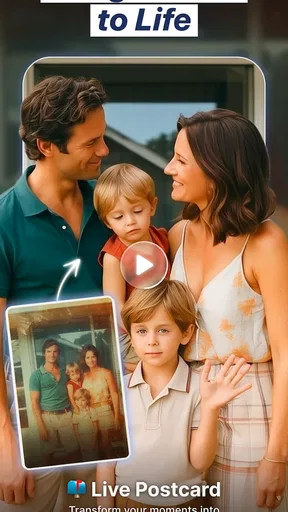
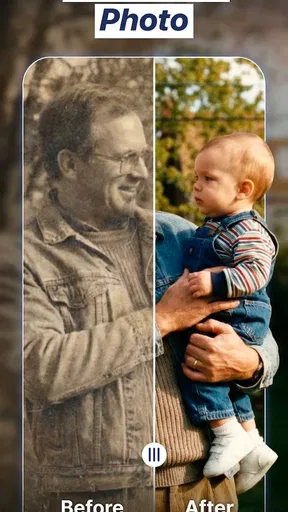


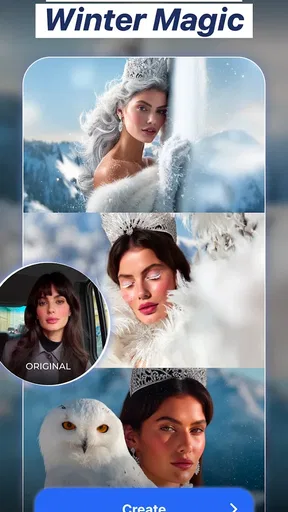
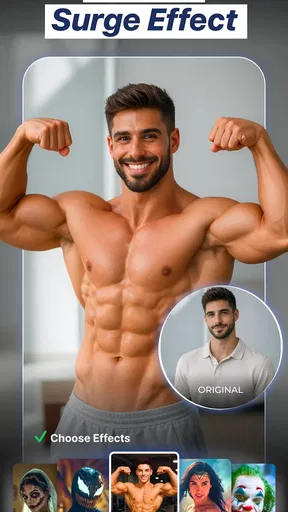

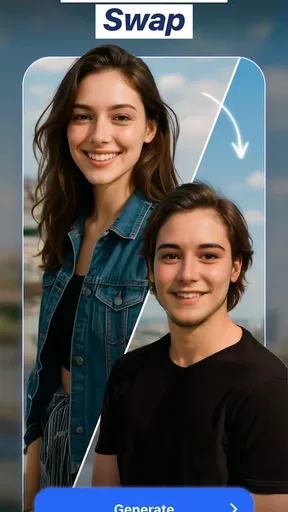
Our Review of Photica・AI Live Photo Animator
 Analysis by Appyee
I usually start with one specific kind of photo: a picture that already means something to me, but feels a little flat when I scroll past it. That is the problem Photica・AI Live Photo Animator is meant to address. It is a photography app from Comapps LLC, and its appeal is straightforward: give a still image movement, then decide whether that motion adds something worth keeping. I like that as a small creative project, though I would treat the result as a playful reinterpretation rather than a faithful record of what happened.
Choose a photo that can carry motion
Before opening an animation tool, I find it helps to decide what should move and what should stay still. A landscape with water, clouds, or a road gives the effect an obvious direction; a portrait may be more interesting when the movement is subtle and the face remains the focus. This is a practical choice, not just an artistic one: when the image has a clear subject and some surrounding space, added motion is less likely to compete with the thing I wanted to remember.
For example, after a weekend walk I might pick a shot of a waterfront rather than the group photo from the same day. I can imagine gentle movement in the water, while the people in the group shot are the reason I took it in the first place. With any AI animation, the app is interpreting a flat image, so I check whether a new motion would look charming or simply odd before I spend time adjusting it. The best starting image is not necessarily the sharpest one; it is the one whose composition makes the intended movement understandable.
Transforming Photos into Living Stories
First off, let's talk about the sheer joy of watching your static images breathe life. With Photica・AI Live Photo Animator, you can transform any ordinary photo into a dynamic masterpiece. The app uses advanced AI technology to animate your pictures, making them ripple and move as if they were alive. It’s like bringing a bit of Hogwarts magic to your smartphone.
Easy to Use, Hard to Put Down
One of the best things about this app is its user-friendly interface. You don’t need to be a tech wizard to get things rolling. Simply choose a photo from your gallery, and within a few taps, you can animate it with a variety of effects. The app guides you through each step, making the process not only fun but incredibly easy. Who knew turning still images into lively animations could be this effortless?
Making a deliberate first pass
Once I have chosen the image, I treat the first animation as a draft. I look for the movement that supports the subject instead of automatically choosing the boldest effect. The customization described in the app gives room to adjust speed, direction, and intensity, so I would change one of those at a time. That makes it easier to tell whether the change improved the clip or just made it busier. If the preview feels distracting, dialing back the intensity is usually a better next step than layering on more movement.
A useful way to judge the result is to view it at the size where I expect to share or keep it. A fine detail that looks lively close up may disappear on a small screen, while a strong zoom can overwhelm a portrait when replayed. I also compare the animated version with the original before settling on an edit. The still image remains the reference point; animation should add a little character without obscuring why the photo mattered in the first place.
Endless Creative Possibilities
Now, let's get into the nitty-gritty of customization. Whether you want to create gentle water ripples or dramatic zooms, the app offers a plethora of options. You can tweak the speed, direction, and intensity of the animations to suit your creative vision. And if you’re feeling particularly adventurous, try combining multiple effects for a truly unique animation. The only limit here is your imagination.
Knowing when to stop editing
Combining effects can be fun, but it is also where a simple image can start to feel overworked. I would first make a restrained version, then try a more dramatic pass only if the photo can support it. When two movements pull attention in different directions, the animation becomes harder to read; for a keepsake, one clear visual idea is often more effective than several competing ones. This is especially true for family pictures or portraits, where an exaggerated effect can make a sincere moment feel like a joke.
There is also a useful distinction between an animation for a quick social post and one I want to revisit later. A bold effect may catch attention in a feed, but a softer treatment tends to preserve the mood of a personal memory. I would keep the original photo untouched and think of the animated version as a separate interpretation. That way, experimenting does not replace the image I actually took, and I can choose which version suits the moment.
Handoffs: preview, save, and share
After editing, the next question is what I want to do with the result. The app is built around turning a still image into moving content, and that makes it a different step from ordinary photo retouching. I would preview the animation before sharing, then consider where it will be viewed: a moving post can be more eye-catching than a still, but it may also distract from a caption or from the people in the frame. If I am sending it to a friend, I would make sure the movement reads clearly even without an explanation.
Sharing is convenient when I want to move a finished creation into a social conversation, but it is worth checking the final presentation in the destination app. A crop, playback behavior, or the way a platform displays motion can change how the animation feels. I would not assume that a clip that looks good in the editor will have exactly the same impact everywhere. For a personal archive, I would also keep the original photo alongside the animated version rather than treating a shared post as the only copy of the memory.
Sharing is Caring
We all love sharing our creations, and Photica makes it a breeze. Once you’ve perfected your animated masterpiece, you can easily share it across social media platforms. The app supports direct sharing to Instagram, Facebook, and even WhatsApp. Just imagine the likes rolling in as your friends marvel at your newly animated memories!
Where this tool fits among photo apps
In a typical photo workflow, a gallery app is where I sort and revisit pictures, while a conventional editor is where I crop, correct, or retouch them. This app has a narrower creative role: it gives a still image a sense of motion. That focus is useful when I want a quick visual twist without building a full video from separate footage. It is not a replacement for careful photo editing, and it is not the right choice when I need a precise, documentary-style record of movement. For that, a video recorded at the moment is more honest and usually more dependable.
Compared with making a motion piece manually in a general video editor, an AI-driven photo animation is a more approachable starting point for someone who has only one still image. The trade-off is control: a dedicated editor may give a more deliberate timeline and more exact composition, but it also asks for more hands-on work. I would choose Photica when speed and experimentation matter more than frame-by-frame precision. If I need a polished sequence with several shots, narration, or exact timing, I would use a video editor instead.
A realistic use: a small memory, not a whole production
Imagine I take a photo of a rainy window while waiting for a friend at a café. Later, I can try a gentle animation that gives the scene a little more atmosphere, preview it, and send it in a chat as a more expressive version of the moment. That is a better fit than trying to animate every picture from the day. Picking one image keeps the process light and makes the result feel intentional rather than like a batch of effects applied just because they are available.
The same selective approach works for travel snapshots, pet pictures, or a close-up of a candle on a birthday cake. I would avoid using the effect on an image where a small visual change could misrepresent something important, such as a document, a product detail someone needs to inspect, or a photo meant to show exactly what happened. The distinction is simple: use animation for mood and storytelling, not as evidence.
Performance, patience, and practical limits
While using the app, I noticed how smoothly it runs. There were no annoying lags or crashes, which is a huge plus in my book. The developers have clearly put a lot of thought into ensuring a seamless user experience. Plus, the animations render quickly, so you’re not stuck waiting ages to see the final product.
Even a smooth editing experience does not remove the need to judge the output. AI-generated movement can make an image feel lively, but it can also draw attention to an area that should have remained still. I would inspect faces, edges, and the boundary between the subject and background before sharing, especially if the effect is strong. If the result looks unnatural, I would switch to a gentler setting or keep the original rather than trying to rescue every picture with more effects.
There is a practical cost question, too. The app is free to download, but it includes optional in-app purchases ranging from $6.99 to $49.99 per item. I would try the basic workflow first and decide whether the results justify spending anything. A person who only wants to animate an occasional favorite may not need to pay; someone who expects to make these clips regularly should weigh the purchase against how often the tool will genuinely be used.
Who will enjoy it, and who may prefer another route
Photica is likely to suit people who enjoy experimenting with personal pictures and want a quick way to add motion without learning a full editing workflow. Its audience includes casual creators who make social posts, people who like refreshing a favorite image, and anyone curious about how a still scene changes when it appears to move. It is rated for Everyone, has a 4.2 average from around 14,000 ratings, and has passed over 500,000 installs, so it has a substantial audience for a focused creative app.
I would be more cautious if I needed professional control, predictable realism, or a tool for editing long videos. Someone who wants to correct color, remove distractions, organize a large library, or make a carefully timed montage will be better served by a photo editor, gallery tool, or video editor designed for that job. The app’s value is in the small transformation, not in replacing every other part of a photography workflow.
Why You Should Try It
If you’re someone who loves exploring new ways to express creativity, this app is definitely worth a shot. It’s not just about making photos move; it’s about adding a new layer of storytelling to your memories. Whether you're a photography enthusiast or just someone who enjoys playing around with apps, Photica・AI Live Photo Animator offers something for everyone.
Photica is free, developed by Comapps LLC, and its current version is 3.2.0, with a minimum operating system requirement of 10. It was released on December 9, 2024. Those details make it easy to check basic compatibility before installing, while the in-app purchase range is worth keeping in mind if you are deciding whether to use it beyond casual experiments. I would start with one photo I already like, rather than downloading it with the expectation that it will turn an entire library into finished animations.
In conclusion, Photica has brought a fresh and exciting way to animate our favorite snapshots. With its easy-to-use interface, range of customization options, and flawless performance, it’s a fantastic tool for anyone looking to add some spark to their photo collection. So why not give it a go and watch your photos come to life in a way you’ve never seen before?
My take after following the whole workflow
For me, the strongest reason to try this app is the short path from choosing a meaningful still to seeing a version with a different mood. The strongest reason to be selective is that movement changes how a memory reads; more animation is not automatically a better result. I would keep it for occasional creative projects, use restrained edits for personal photos, and switch to a conventional editor whenever accuracy or detailed control matters more than an immediate visual effect.
Verdict
Strengths of Photica・AI Live Photo Animator
- Intuitive interface for easy navigation.
- High-quality animation results.
- Variety of animation effects available.
- Quick processing time for animations.
- Supports multiple image formats.
Limitations of Photica・AI Live Photo Animator
- Limited free version features.
- Requires internet for some effects.
- Occasional app crashes reported.
- In-app ads can be intrusive.
- Large file sizes for exported animations.
Similar Picks in This Category
View All
Google Photos
Google LLC4.4

Gallery
Google LLC4.2

Picsart AI Photo Editor, Video
PicsArt, Inc.3.9

B612 AI Photo&Video Editor
SNOW Corporation4.1

BeautyPlus-Selfie Photo Editor
PIXOCIAL TECHNOLOGY (SINGAPORE) PTE. LTD.4.5

Remini - AI Photo Enhancer
Bending Spoons4.1
Frequently Asked Questions
What is Photica・AI Live Photo Animator?
Photica・AI Live Photo Animator is an innovative app that transforms static photos into dynamic, animated images using AI technology. It allows you to breathe life into your photos by adding realistic movements and effects, making your memories more vivid and engaging.
How does Photica ensure privacy and data security?
Photica prioritizes user privacy by implementing robust data encryption and secure data storage practices. The app only accesses photos with your permission and does not store any personal data on its servers, ensuring your images and personal information remain private and secure.
Is Photica user-friendly for beginners?
Yes, Photica is designed with an intuitive interface that is accessible for users of all skill levels. The app provides easy-to-follow tutorials and a simple navigation system, allowing you to create stunning animations without any prior experience in photo editing or animation.
Are there in-app purchases or subscription options available?
Photica offers a free version with basic features, but also provides in-app purchases and subscription plans for users who want access to advanced features and effects. These premium options enhance the app’s capabilities, offering a wider range of animations and customization tools.
Can I share my animated photos on social media?
Absolutely! Photica allows you to easily share your animated creations directly to popular social media platforms like Instagram, Facebook, and Twitter. The app provides seamless integration, enabling you to showcase your animated photos to friends and followers with just a few taps.
